Project 03 · Own product
Solacium
Solacium is a project workspace and client portal for freelancers and small studios. It is my own product — I designed and built it, and I run the whole thing myself, from the database to the mail server.
- Role
- Idea, design, development and operations
- Type
- Subscription web app
- Link
- solacium.no
- Demo
- demo.solacium.no
01
The problem
Client projects scatter fast. The brief lives in email, feedback in a group chat, and files in someone’s Google Drive. The client asks where things stand, and the reply comes from memory.
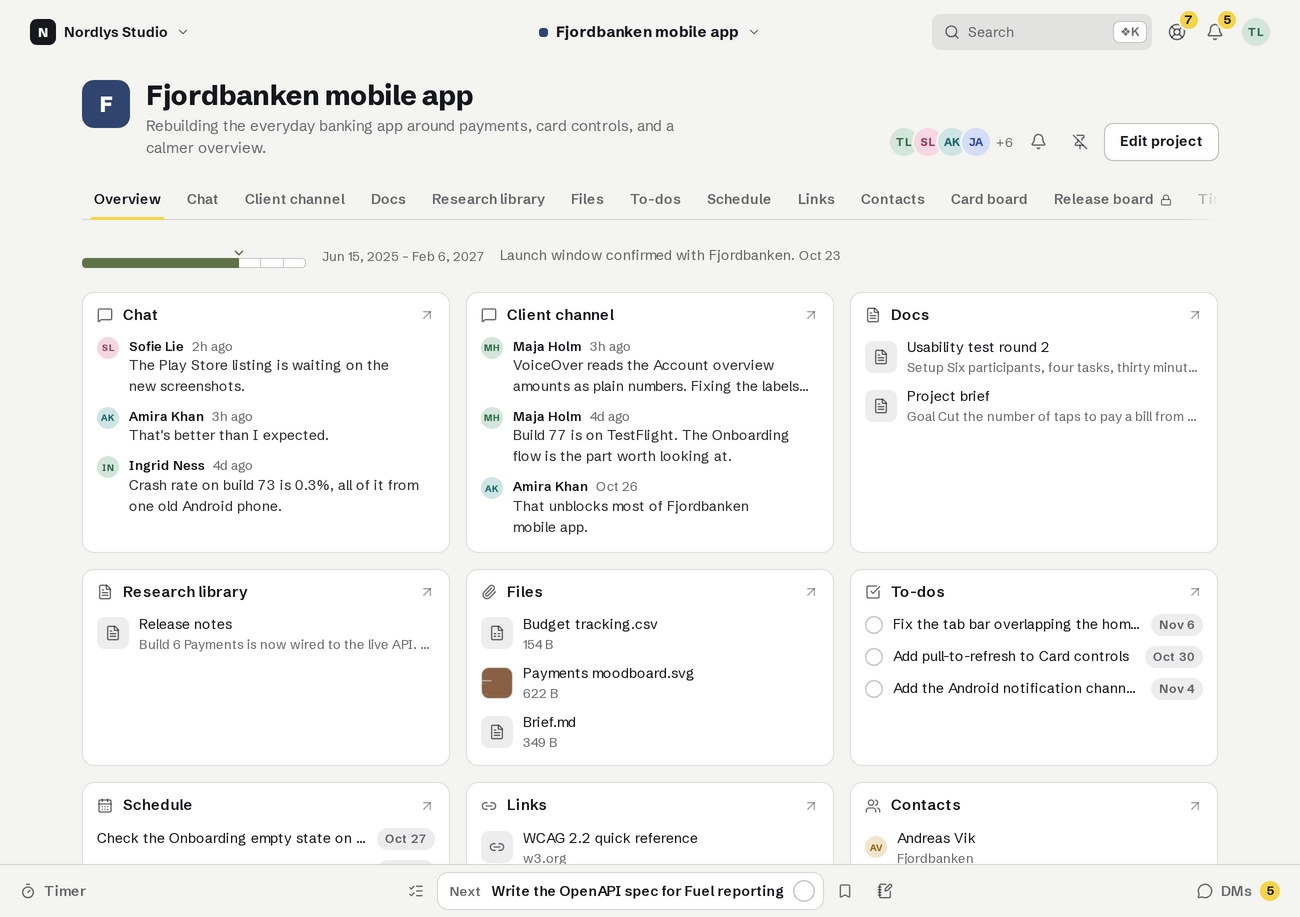
Solacium gives each project a single room. Chat, documents, to-dos, files, dates, and logged hours sit together in the order things happened. Clients log in and see for themselves instead of chasing updates.
02
One room per project
A three-week website build and a year-long retainer do not need the same tools. When you create a project, you pick what belongs in it from ten tools: chat, docs, to-dos, card board, files, schedule, time tracking, links, contacts, and email forwarding.
Any tool can be added more than once, so a project can hold a client chat and an internal chat side by side. Every tool has its own toggle for client visibility, with internal ones marked by a lock. Client seats are free and scoped strictly to the projects they’re invited to.
Chat supports threads and polls, and any message can turn into a to-do or board card — moving decisions straight to where work happens instead of letting them vanish in scrollback.
Due dates from every list and board flow into one project calendar. The Do Today view pulls urgent items across all projects so you never open five rooms to see what needs doing today, and your next task stays pinned at the bottom so you can tick it off from anywhere.
03
Client support
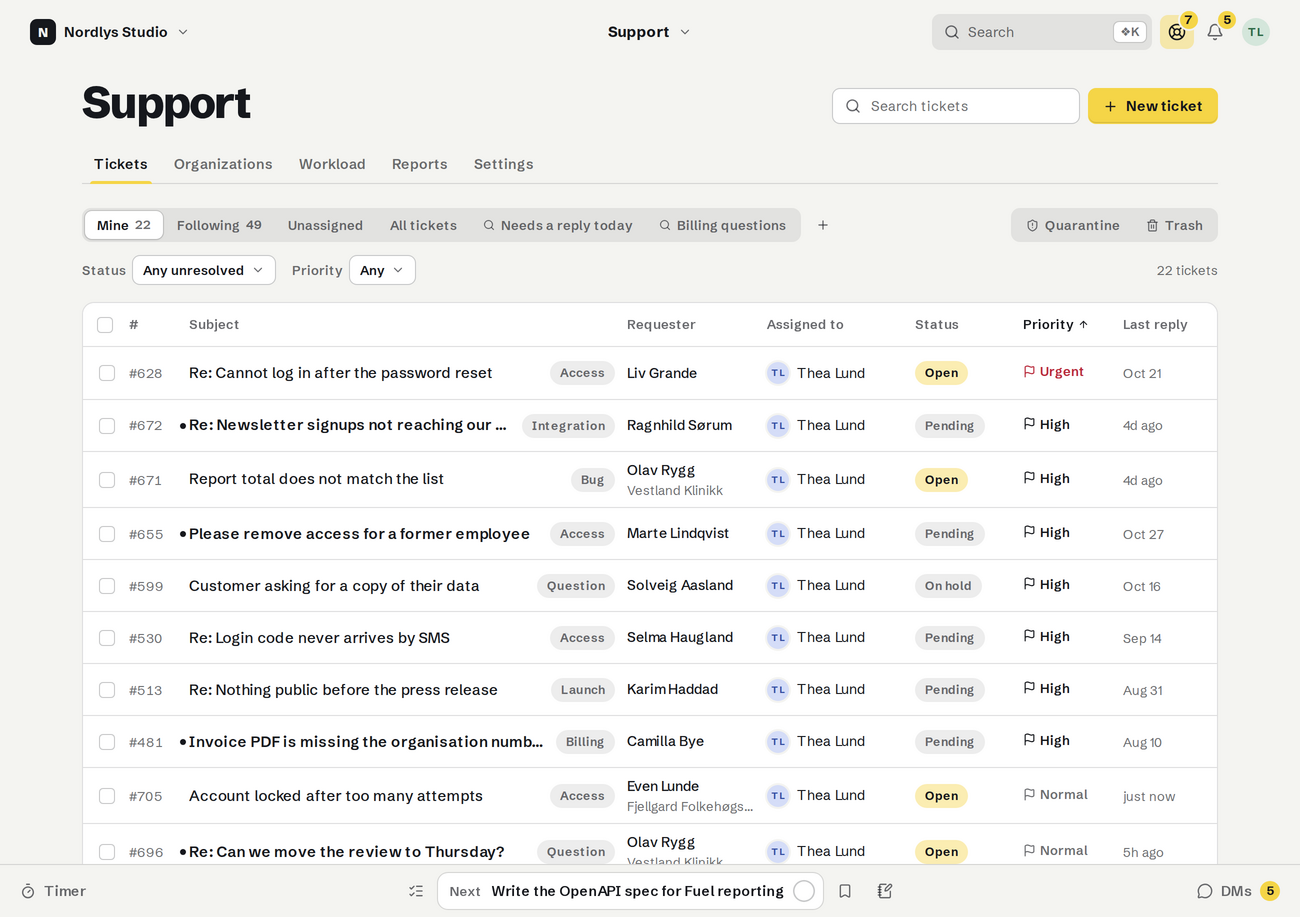
Many small studios answer clients from a shared inbox nobody truly owns. Solacium includes a dedicated support inbox with numbered tickets, an owner, status, and priority. Internal notes and client replies live in the same thread, while only replies go out by email — and only to people on that ticket.
When a ticket turns into real project work, you spin up a to-do or board card straight from the ticket with assignee and deadline, and the ticket stays linked to what was created.
Mail flows through a mail server I run myself: incoming messages become tickets and replies go back out as normal email. Studios that prefer their own Gmail, Postmark, or Resend can connect that instead.
04
Time tracking
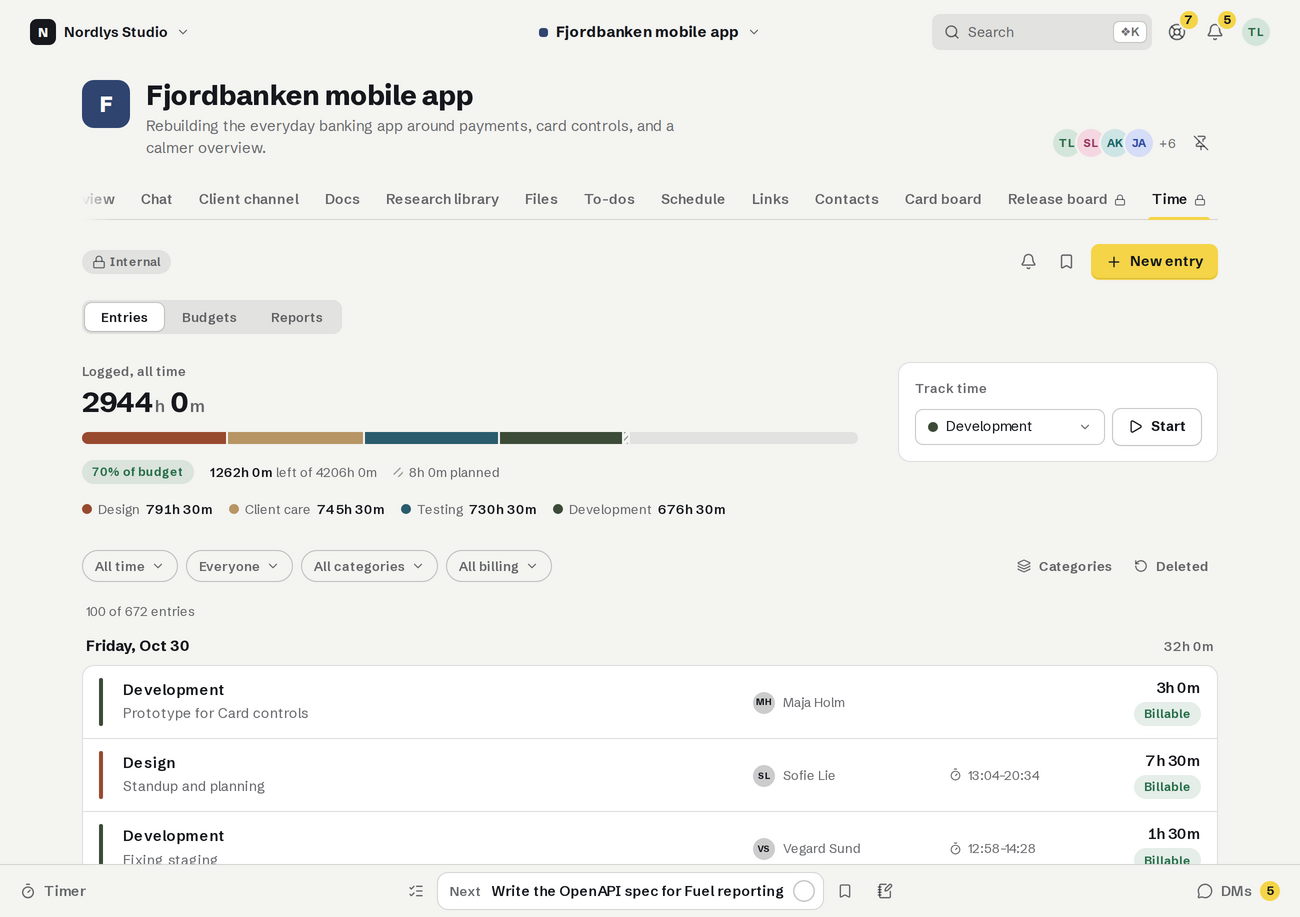
Time tracking lives inside the project. Start a timer from anywhere in the app and it keeps ticking even if you switch pages or close the browser. Each person runs one timer at a time — starting a new one automatically stops the previous, so nothing runs forgotten in the background.
Hours roll up into categories with their own budgets, showing what’s spent and what remains. Reports group by person, category, and billable time and export to CSV. Clients never see time tracking.
05
Speed
A tool you keep open all day has to feel instant. I built Solacium around a few strict rules: new views open right away, nothing jumps around after paint, no spinner appears before three seconds, and hovering a link prefetches what’s behind it.
Updates arrive in real time. When a colleague writes in chat or checks off a task, you see it without refreshing. Deploying a new release never logs anyone out.
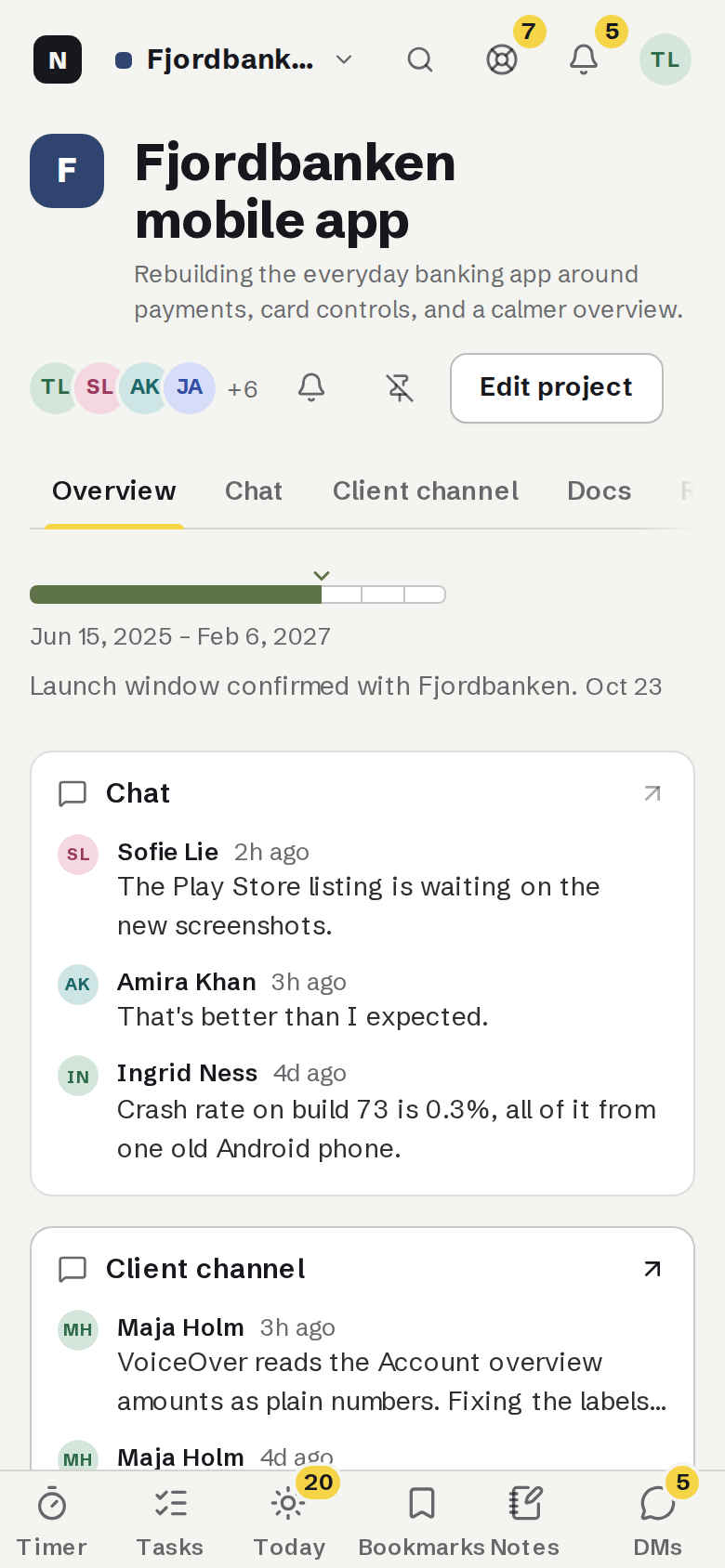
Solacium also installs as an app on desktop and mobile straight from the browser, complete with push notifications.
06
A live demo in the browser
At demo.solacium.no you can click through a fictional design studio complete with projects, teammates, clients, and support tickets. The demo runs the exact same server logic as the real app, with the database running locally in your browser — no account needed, and nothing you touch affects real data.
That wasn’t the easiest way to build a demo, but it shows the real product and never falls out of sync whenever the app gains a new feature.
07
AI assistants
Claude, ChatGPT, and other assistants supporting MCP can connect directly to Solacium. They sign in as you and inherit your exact permissions inside a single workspace. An assistant can read projects, search, create and update to-dos and cards, and post comments.
It cannot delete data, manage members, or touch billing and settings. Everything done through an assistant notifies and logs just like when you do it yourself.
08
Under the hood
- Frontend
- Next.js, React, and TypeScript. The same codebase runs in the browser and when installed as an app.
- Mobile
- Native iPhone app in SwiftUI and Android app in Jetpack Compose, sharing the same backend and access rules as the web app.
- Database
- Convex, pushing live updates to everyone viewing a project. Access rules are enforced in server functions, not in the UI.
- Auth
- WorkOS for sign-in, workspaces, and invitations.
- Billing
- Stripe. One person can use Solacium free with no card; teams pay per seat. Add or remove a teammate and the next invoice adjusts automatically.
- Self-hosted mail server running Postfix and Rspamd, paired with a small service that turns inbound email into support tickets.
- Operations
- Docker on my own server. One command runs the test suite, builds and deploys a new release, and rolls back automatically if anything fails.
09
What this means for you
Most of my clients need a website, not a project management app. Solacium shows what I can take full responsibility for when a project needs more: logins, roles and permissions, subscriptions and billing, real-time data, email, and running production servers.
If you need a client portal, an internal tool, or anything else behind a login, I’ve built it end to end.
Need more than a website?
Send me an email about what you have in mind. I’ll reply with how I would approach it and what it will cost.
Send an email